Modbus TCP Server
Set up connection to local Modbus TCP server
By clicking on the icon, a new device can be set up to communicate with the local Modbus TCP server.
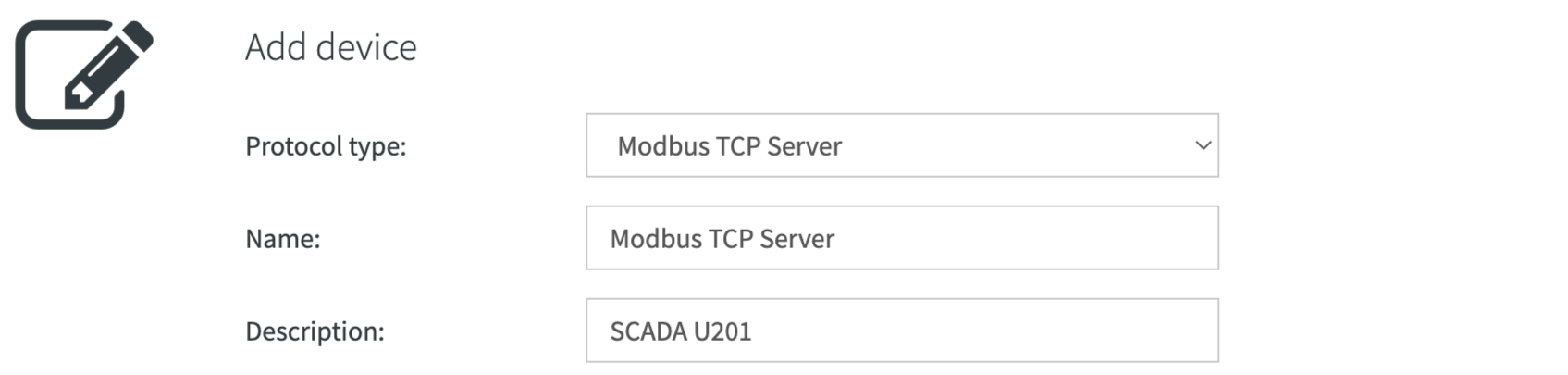
| Property | Description |
|---|---|
| Protocol type | Select Modbus TCP Server (locahlhost) |
| Name | Enter the name of the end device |
| Description | Specify the description of the end device |
By clicking on the icon, status information of the Modbus TCP server can be displayed.
Actions
The setup of the Modbus/TCP devices allows a number of possible actions.

| Action | Description |
|---|---|
| Edit end device settings | |
| Export data points (if data points are available) | |
| Import data points (if no data points are available) | |
| Remove device (if no data points are recorded) |
Data points
The values of the collected data points are directly displayed. By clicking on the corresponding icon, the data monitor can be stopped.
For collecting a new device data point, also click on the corresponding icon.
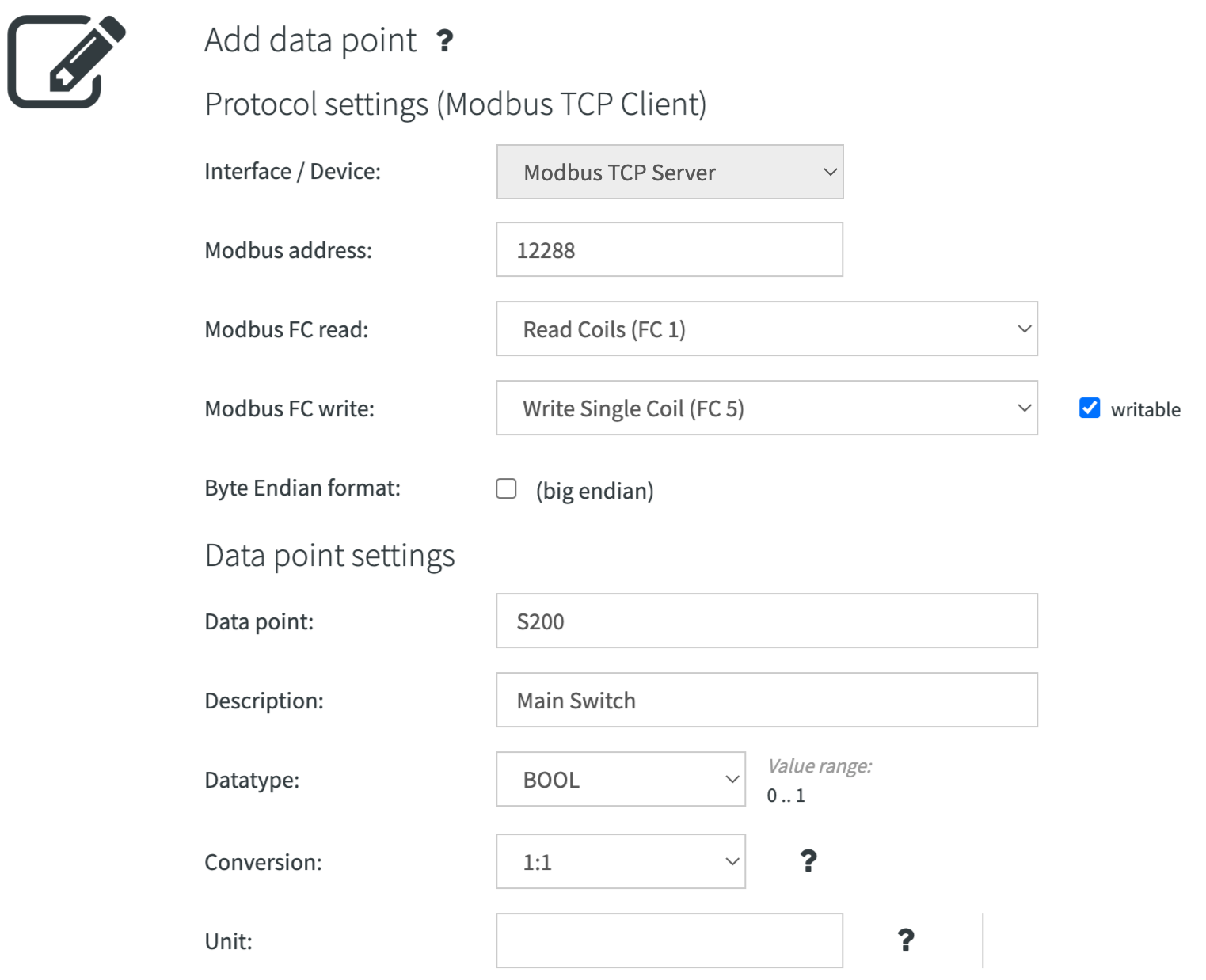
| Property | Description |
|---|---|
| Modbus address | Enter the modbus address of the end device |
| Modbus FC read/write | Choose from the following Modbus TCP/IP function codes: 1,3,5,6,15,16 |
| Byte endian format | Activate the endian format if necessary, depending on the device (e.g. for data type STRING) |
| Data point | Enter the name of the data point |
| Description | Specify the description of the data point |
| Data type | Select the data type (BOOL, BYTE, WORD, DWORD, SINT, INT, DINT, USINT, UINT, UDINT, REAL, CHAR or STRING) |
| Conversion | If necessary, convert your values (e.g. the temperature in °C, with one digit after the decimal point) |
| Unit | If desired, specify the units in the LaTeX format (e.g. ^\circ C for °C) |
Actions
The setup of the data point allows a number of possible actions.

| Action | Description |
|---|---|
| Edit data point settings | |
| Edit Smart UI settings | |
| Show trend data point | |
| Write data point (if writeable) | |
| Remove data point |